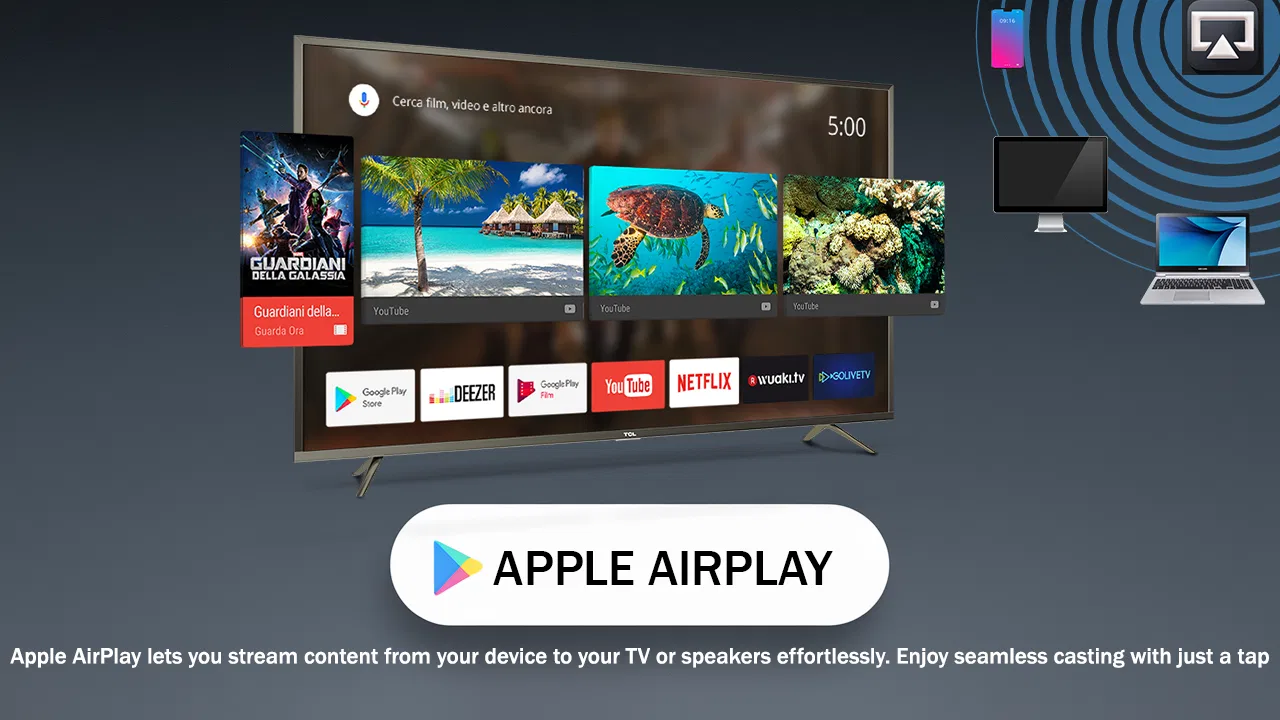
AirPlay - Cast Tv
- 4.2
- Rating
- 100.00K
- Installs
- Free
- Price

 Analysis by App-foxy
AirPlay - Cast Tv is the kind of app I would look at when I want a straightforward way to send something from my phone to a television, without turning the task into a long setup project. Its purpose is simple: it sits in the Libraries & Demo category and focuses on casting content to a TV. That narrow focus is both its appeal and its main limitation.
After spending time with it, my view is that this is best treated as a practical casting tool rather than a complete entertainment platform. It may be useful for someone who wants to try phone-to-TV playback, check whether a particular television can work with an AirPlay-style workflow, or keep a lightweight casting option available for occasional use. It is less convincing for people who already rely on a television manufacturer’s polished companion app or need advanced playback controls every day.
What I looked for before recommending it
When I judge a casting app, I do not start with the name alone. I first ask whether it makes the connection understandable, whether the television is easy to identify, and whether the experience remains useful after the first successful test. A cast button that works once but leaves the user guessing about network conditions is not enough. The best tools make the relationship between phone, app, and TV clear.
You May Also Like

 Blood Strike: 2.5 Anniversary
Blood Strike’s Loadouts Turn Every Drop Into a Tactical Gamble
A close look at Blood Strike’s custom loadouts: how fast access to signature weapons reshapes its battle royale rhythm, rewards preparation, and narrows the gap between fights.

 Pandora - Music & Podcasts
Pandora’s Music Is Easy to Start, but Harder to Recover
Pandora’s strength is its low-effort path from a seed to a station. Its weak spot is how much confidence it asks you to place in connection, setup, and quiet recovery.

 8 Ball Pool
 Is Built on Rivalries, Rematches, and Routine
A close look at the rivalries, rematches, shared routines, and unanswered safety questions that turn a quick pool match into a persistent mobile community.

 Samsung Music
’s Quiet Strength Is Playing What You Already Own
Its reach comes less from spectacle than from dependable access to a personal library. That simplicity is both the app’s strongest retention engine and its ceiling.

 AccuWeather: Weather Radar
AccuWeather Review: A Quick, Clear Forecast for Everyday Decisions
For everyday plans, the best forecast is the one you can understand quickly. AccuWeather makes rain timing, radar, and local conditions easy to act on, with a few trade-offs.

 Hill Climb Racing
Why Hill Climb Racing Still Turns Crashes Into One More Run
A tiny car, a bumpy hill and one more upgrade: Hill Climb Racing keeps resurfacing because its simple chaos makes every near-miss feel personal.
More From Our News Desk
View All News


I also pay attention to the difference between mirroring and sending media. Those are not always the same experience. Mirroring can show the phone screen, while media casting may hand playback over to the television. That distinction affects battery use, notifications, multitasking, and privacy. With AirPlay - Cast Tv, I would approach the app with that question in mind rather than assuming that every form of casting behaves identically.
Another important test is the everyday scenario. Imagine that I have a photo, a short video, or another piece of content on my phone and want to show it to people in the room. I do not want to spend the first ten minutes searching through menus or explaining a complicated process. A useful casting app should help me move from discovery to playback with as little uncertainty as possible.
Finally, I consider the cost of experimenting. This app is free, carries an Everyone content rating, and supports devices running Android 7.0 or later. That makes it approachable for a broad range of Android users. The absence of an upfront price lowers the risk of trying it, although free does not automatically mean that it will be the best long-term tool for every television.
Getting started without making the setup harder
The first practical step is to put the phone and television in the same local network environment. That is a basic requirement for many casting workflows, and it is also the first place where users can mistakenly blame the app. If the TV does not appear, I would check the network connection on both devices before repeatedly restarting the application.
I would also make sure the television is awake and ready to receive a connection. Some TVs change their availability depending on the selected input, standby behavior, or built-in sharing settings. The useful habit here is to treat device discovery as a two-sided process: the phone needs to search, but the TV must also be visible and ready.
Once a television appears, I would begin with a low-stakes test. A short personal video or a single image is better than starting with an important presentation or a long family gathering. This reveals whether the connection is stable and whether the result is what I expected. It also gives me a chance to learn how to stop casting before I need to do it in front of other people.
One small but valuable tip is to keep the phone unlocked during the first connection attempt. Locking the screen too early can make it difficult to tell whether the session is still active or whether the connection has ended. After the workflow is familiar, I can decide how much control I want to keep on the phone.
Where the app feels most useful
The strongest case for AirPlay - Cast Tv is occasional, uncomplicated casting. If I only need this type of tool now and then, a free app with a focused purpose can be more convenient than installing a large media suite. I can think of it as a bridge between the content already on my phone and the larger screen in front of me.
It can also be useful when I am helping another person with their television. A family member may not want a detailed explanation of every setting in a smart-TV ecosystem. Showing a simple casting route from a familiar Android phone can be easier than teaching several different manufacturer menus, especially when the goal is only to display something briefly.
Another practical use is checking compatibility before committing to a more involved setup. A quick test can answer an important real-world question: does this phone-and-TV combination provide a usable casting path for the content I care about? That is more helpful than assuming that a television’s smart features automatically cover every mobile workflow.
I also like the idea of using the app as a temporary tool during travel or visits, provided the local network allows devices to communicate. In those situations, I may not want to configure a permanent ecosystem. A free, focused casting application gives me a low-commitment option to try before deciding whether I need something more specialized.
The app’s scale is worth keeping in perspective. FastSoft’s application has passed ten thousand installs and holds an average rating of 3.4 from roughly one hundred forty-five ratings, with sixteen written reviews. I read that as a sign that the experience may be useful for some users but is not universally smooth. I would install it with realistic expectations rather than treating it as a guaranteed solution for every TV.
Three details that can make the difference in daily use
The first is choosing the right test content. A static image can confirm that the connection exists, but it does not tell me much about sustained playback. A short video is a better first test because it exposes delays, interruptions, or a mismatch between what appears on the phone and what appears on the television. Testing with content I am comfortable stopping avoids unnecessary frustration.
The second is planning around privacy. Before I mirror or cast in a shared room, I would close private conversations and pause notifications that could appear on the phone screen. This matters especially when the app is being used for screen-style casting rather than handing a single piece of media to the TV. The safest workflow is to prepare the phone first and connect second.
The third is separating network problems from app problems. If discovery is inconsistent, I would test the same phone and television again after moving closer to the router, reconnecting both devices, or removing a network change from the equation. This is not glamorous advice, but it prevents a common mistake: abandoning a potentially workable setup because the first attempt happened on a congested or poorly connected network.
A fourth useful habit is to stop the session from the same place where it started whenever possible. If I leave casting active and simply switch to unrelated phone tasks, I may later wonder whether the television is still receiving content. Ending the session deliberately is especially important when the TV is in a shared space or when the phone contains personal material.
Where a different kind of app may fit better
AirPlay - Cast Tv is not automatically the right choice for people who want a full media-control center. A television maker’s own application may be a better fit when I need remote controls, device settings, input switching, or features designed specifically for that brand. Those tools are often less general, but their narrower relationship with the TV can make them easier to manage.
System-integrated casting is another alternative category. When a phone and television already support the same built-in casting standard, the operating system or media application may offer a more direct route. That can reduce the number of moving parts. In that situation, I would compare the convenience of the existing system with the reason I am considering this app in the first place.
Dedicated media applications may also be preferable when my main goal is watching online video rather than sharing phone content. A service’s own TV application can provide a more consistent browsing and playback experience because it is designed around that service. AirPlay - Cast Tv makes more sense when the source is on my phone or when I need a general casting attempt, not when I want a complete catalog interface.
For presentations, a purpose-built presentation tool may be more suitable. Presentation work often depends on notes, slide control, layout accuracy, and predictable transitions. A general casting app can be convenient for showing a quick item, but I would not choose it as my only plan for an important meeting unless I had tested the exact phone, TV, and content combination beforehand.
There is also a clear reason to skip this app: if my television already offers a reliable, familiar casting method that handles everything I do, adding another layer may create more confusion than value. The free price makes experimentation easy, but it does not remove the time cost of learning a second workflow.
What the rating and version suggest for a cautious user
The current version is 2.1, and the application was released on January 6, 2025. I would take that relatively recent release history as a reason to test the app in my own environment rather than making assumptions based on older casting habits. Compatibility can depend heavily on the specific TV and network arrangement.
The 3.4 average is neither a strong endorsement nor a reason to dismiss the app immediately. For a casting utility, ratings can reflect many different situations: a television that is not discoverable, a network that isolates devices, expectations about mirroring, or a connection that works for one content type but not another. I would read the rating as a prompt to verify my use case carefully.
The Everyone age rating makes the app easy to consider for a household with different users. That does not mean every casting situation is automatically private or suitable for a shared screen. The content shown still comes from the phone, so I remain responsible for checking what is visible before starting a session.
One important question is whether it works with a particular television. I would not answer that with a blanket promise. The sensible approach is to install it, place both devices on the same network, make the TV discoverable, and run a small test. If the television uses a proprietary system or blocks local device discovery, a manufacturer-specific option may be the better route.
Understanding the switching cost
Trying the app costs nothing financially, which is a genuine advantage. I can evaluate it without buying a separate accessory or paying for an upgrade. The real cost is attention: installing it, learning its connection flow, and repeating the process if the first attempt fails.
That cost is small when I cast only once in a while. It becomes more noticeable when I use a TV every day and already have another method that works. In that case, I would compare the number of steps rather than focusing only on whether the app can connect at all. A connection that succeeds after repeated searching may still be less convenient than a familiar built-in option.
There is also a switching cost for other people in the home. If several family members use the same television, the best solution is often the one everyone can understand. An app that works well for me but requires a detailed explanation for everyone else may not be the practical household choice.
My advice is to keep the first trial narrow. Test one device, one television, and one type of content. If that combination works, expand gradually. This avoids changing several variables at once and gives me a clear answer about whether AirPlay - Cast Tv deserves a permanent place on the phone.
My recommendation for different types of users
I would recommend trying AirPlay - Cast Tv if you use Android, want a free casting option, and mainly need a simple way to explore phone-to-TV playback. It is particularly reasonable for occasional sharing, informal demonstrations, and households where a lightweight experiment is more useful than a complete smart-TV control system.
I would be more cautious if casting is central to my work, if I need dependable presentations, or if I expect advanced remote-control features. In those cases, I would start with the television manufacturer’s application, the phone’s integrated casting route, or a dedicated app for the service I use most. Those alternatives may fit the task more directly, even if they are less flexible in other situations.
My final view is positive but measured. AirPlay - Cast Tv has a clear purpose and a low barrier to trying it, but the experience depends on the relationship between the phone, television, and local network. Its real value is as a practical first casting option, not as a universal replacement for every TV ecosystem. If that matches what you need, install it, run a small privacy-conscious test, and judge it by the consistency of your own setup.
For me, that makes it worth considering rather than blindly recommending. The app can simplify an occasional casting job, especially when I want to avoid a larger media platform. However, anyone who already has a dependable built-in solution should compare the actual number of steps and the level of control before switching. That is the clearest way to decide whether AirPlay - Cast Tv solves a real problem or merely adds another option to an already capable television.
FAQs for AirPlay - Cast Tv
01What is AirPlay - Cast TV and how does it work?
AirPlay - Cast TV is an application that allows users to stream content from their mobile devices to their TV screens. It works by connecting your smartphone or tablet to a compatible TV or streaming device over the same Wi-Fi network. Once connected, you can easily cast videos, photos, and music from your device to the TV.
02Is AirPlay - Cast TV compatible with all TVs?
While AirPlay - Cast TV supports a wide range of TVs, it is essential to ensure that your TV or streaming device is compatible. Generally, it works best with smart TVs that support AirPlay or have a Chromecast or similar streaming device connected. Always check the app's specifications for detailed compatibility information.
03Do I need an internet connection to use AirPlay - Cast TV?
Yes, an internet connection is required to use AirPlay - Cast TV effectively. Both your mobile device and the TV need to be connected to the same Wi-Fi network to enable streaming. A stable internet connection ensures seamless casting and optimal video and audio quality.
04What types of content can I stream using AirPlay - Cast TV?
With AirPlay - Cast TV, you can stream a variety of content including videos, photos, and music from your mobile device to your TV. The app supports popular video formats and music files, making it versatile for streaming personal media or content from supported apps on your device.
05Are there any subscription fees or in-app purchases?
AirPlay - Cast TV may offer a free version with basic features, but it often includes in-app purchases or subscription options for advanced features. These might include ad-free streaming, higher quality casting, or additional compatibility options. Check the app's details on the store for specific pricing information.
Pros
- Easy to set up and connect devices.
- Supports multiple media formats.
- Smooth streaming with minimal lag.
- User-friendly interface design.
- Compatible with various smart TVs.
Cons
- Occasional connectivity issues.
- Limited customization options.
- Some features require in-app purchases.
- Not all TVs are supported.
- Ads can be intrusive at times.

AirPlay - Cast Tv
Gallery